RobloxStudioで「簡単なお店(Shop)」の作成メモになります。Part2ではアイテムの購入を実装していきます。
はじめに
「簡単なお店(Shop)」を作成Part2を作成していきます。Part1は記事は下記から。
製作開始
前回まででショップの枠を作成したので、まずはショップ内にアイテムを追加します。
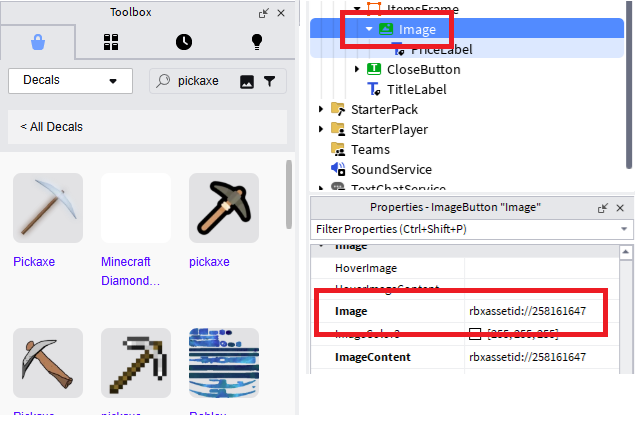
「ShopFrame」の配下に「Frame」を追加して名前を「ItemsFrame」に変更します。その配下に「imageButton」を追加して、更にその配下に「TextLabel」を追加します。
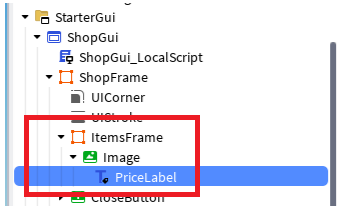
商品の画像にしたいのを、Toolbox内のアイテムを右クリックして「CopyAssetID」を選択、ImageにAssetIDをセットします。
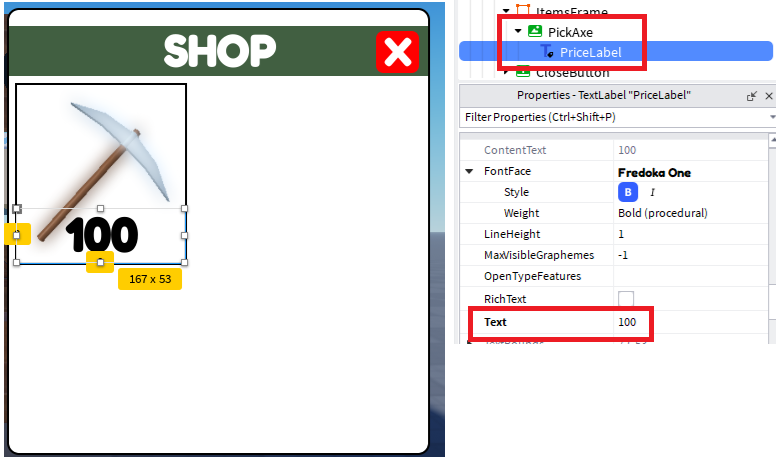
imageButtonの名前を「PickAxe」に、LabelのTextに値段をセットします。
「ShopGui_LocalScript」に下記を追加します。
for _, item in pairs(shopFrame:GetChildren()) do
	if item:IsA("Frame") then
		local image = item:FindFirstChild("PickAxe")
		local price = image:FindFirstChild("PriceLabel")
		image.MouseButton1Click:Connect(function()
			print(image.Name .. " " .. price.Text)
		end)
	end
end
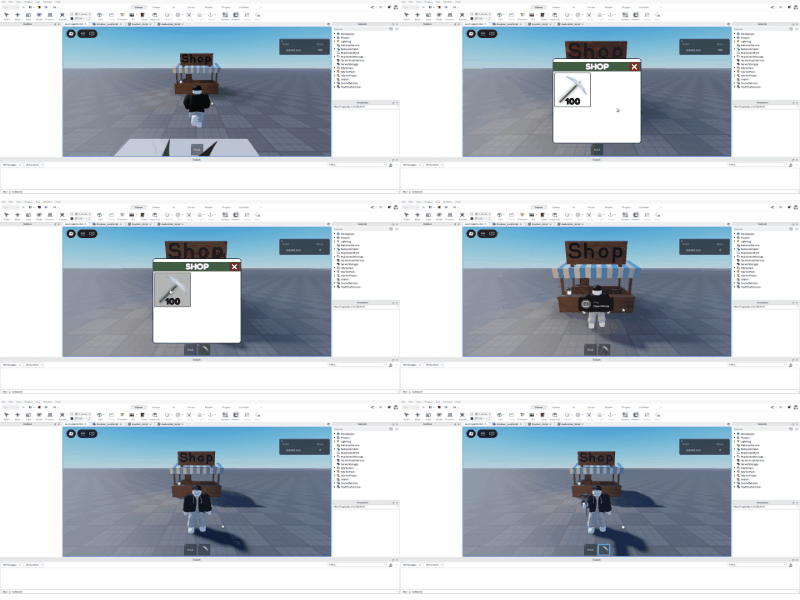
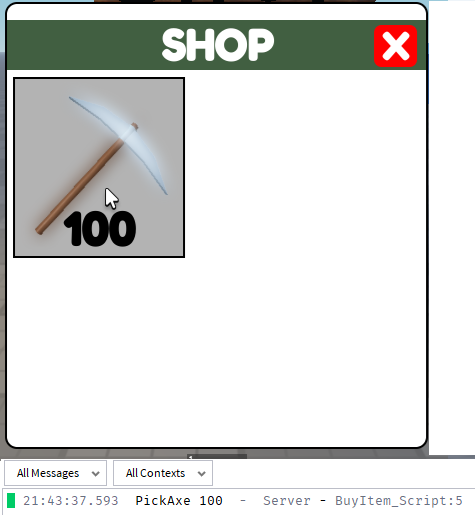
ショップを開いて、イメージボタンをクリックしたときに商品名と金額が下記のようにメッセージに表示されたらOKです。クライアント側なのでサーバー側に情報を渡します。

「ReplocatedStorage」内に「RemoteEvent」を追加して名前を「BuyItemEvent」に変更します。
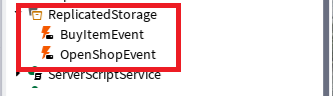
「ServerScriptService」にスクリプトを追加して名前を「BuyItem_Script」に変更します。

「ShopGui_LocalScript」の「print」を下記に変更します。
BuyItemEvent:FireServer(image.Name,price.Text)
「BuyItem_Script」を下記に変更します。
local ReplicatedStorage = game:GetService("ReplicatedStorage")
local BuyItemEvent = ReplicatedStorage:WaitForChild("BuyItemEvent")

BuyItemEvent.OnServerEvent:Connect(function(player, itemName, price)
	local priceVal = tonumber(price)
	print(itemName  .. " " ..priceVal)
end)
ボタンをクリックしたときにメッセージが表示されたらOKです。
商品を装備
商品の購入と装備を行っていきます。「ServerScriptService」に「Script」を追加して名前を「leaderstats_Script」に変更します。

「leaderstats_Script」の中身を下記に変更します。100で販売しているので、プレイヤーに初期で100を付与します。
game.Players.PlayerAdded:Connect(function(player)
	local leaderstats = Instance.new("Folder")
	leaderstats.Name = "leaderstats"
	leaderstats.Parent = player

	local money = Instance.new("IntValue")
	money.Name = "Money"
	money.Value = 100
	money.Parent = leaderstats
end)
購入時に装備するアイテムを追加します。「ReplocatedStorage」にフォルダを追加して、フォルダ内に「Tool」を追加します。
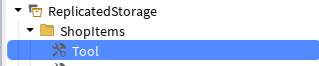
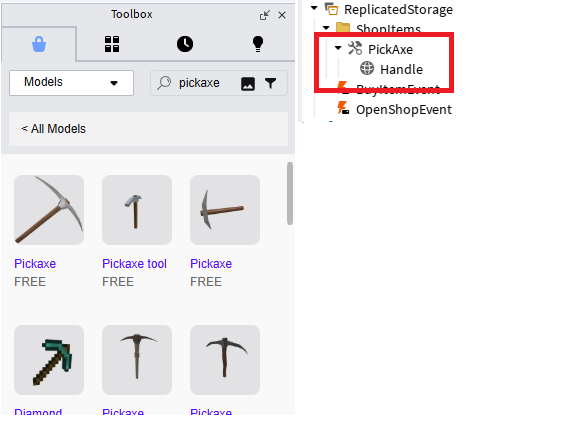
「Tool」を商品名と同じにして(PickAxe)にして、モデルを追加してHandleに名前を変更します。
ここは以前作成した「掘る仕組み」の下記記事が参考になります。
「BuyItem_Script」を下記に変更します。
local ReplicatedStorage = game:GetService("ReplicatedStorage")
local BuyItemEvent = ReplicatedStorage:WaitForChild("BuyItemEvent")
local ShopItems = ReplicatedStorage:WaitForChild("ShopItems")

BuyItemEvent.OnServerEvent:Connect(function(player, itemName, price)
	local priceVal = tonumber(price)
	local money = player:FindFirstChild("leaderstats").Money
	local tool = ShopItems:FindFirstChild(itemName)

	if money.Value >= priceVal then
		money.Value = money.Value - priceVal
		local clonedIool = tool:Clone()
		clonedIool.Parent = player.Backpack
	end
end)
実行して、ショップでアイテムを購入したときに持ち物に入ればOKです。