Unity3Dで「ボールを投げる(弾を発射する)」を作成。Part2では弾の発射を実装します。
はじめに
Part1は下記です。
今回やること
Part1では簡単なUI作成と視線移動(カメラ移動)を作成しました。Part2では弾の発射を実装していきます。
作成開始
「3DObject」→「Sphere」を追加。
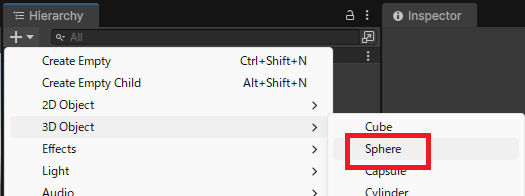
名前を「ball」に変更して「AddComponent」から「Rigidbody」を追加します。
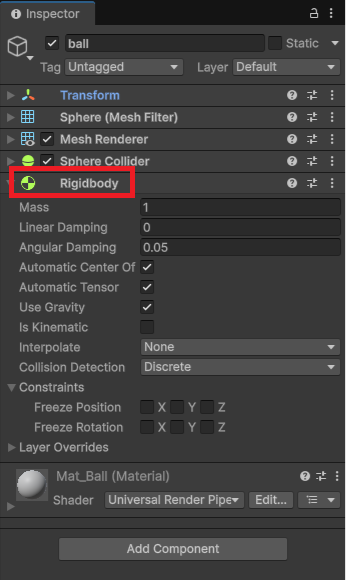
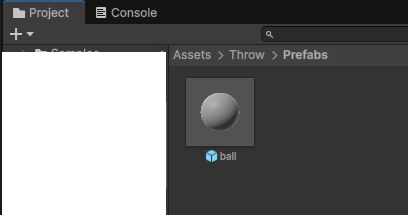
プレハブ化して、Hierarchyからは削除しておきます。
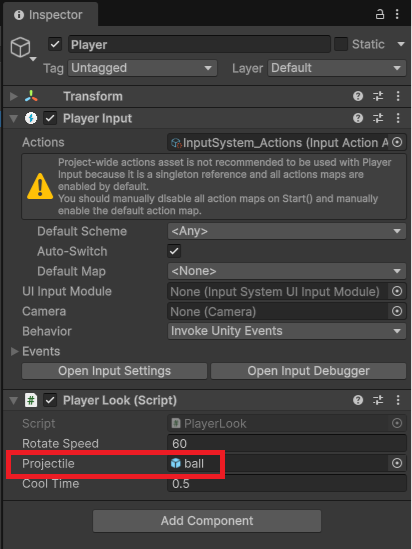
スクリプトを下記に変更します。弾を連射しないようにクールタイムを設定しています。前回同様にサンプルのスクリプトを抜き出して実装しています。
using UnityEngine;
using UnityEngine.InputSystem;

public class PlayerLook : MonoBehaviour
{
    [SerializeField] private float rotateSpeed;
    [SerializeField] private GameObject projectile;
    [SerializeField] private float coolTime = 0.5f;

    private Vector2 m_Rotation;
    private Vector2 m_Look;
    private bool isReady = false;

    private void Start()
    {
        isReady = true;
    }
    public void OnLook(InputAction.CallbackContext context)
    {
        m_Look = context.ReadValue<Vector2>();
    }
    public void Update()
    {
        Look(m_Look);

    }
    private void Look(Vector2 rotate)
    {
        if (rotate.sqrMagnitude < 0.01)
            return;

        var scaledRotateSpeed = rotateSpeed * Time.deltaTime;

        m_Rotation.y += rotate.x * scaledRotateSpeed;
        m_Rotation.x = Mathf.Clamp(m_Rotation.x - rotate.y * scaledRotateSpeed, -89, 89);
        transform.localEulerAngles = m_Rotation;
    }

    public void OnFire(InputAction.CallbackContext context)
    {
        if(isReady)
            Fire();
    }
    private void Fire()
    {
        isReady = false;

        var transform = this.transform;
        var newProjectile = Instantiate(projectile);
        newProjectile.transform.position = transform.position + transform.forward * 0.6f;
        newProjectile.transform.rotation = transform.rotation;
        const int size = 1;
        newProjectile.transform.localScale *= size;
        newProjectile.GetComponent<Rigidbody>().mass = Mathf.Pow(size, 3);
        newProjectile.GetComponent<Rigidbody>().AddForce(transform.forward * 20f, ForceMode.Impulse);

        Invoke(nameof(Cooldown), coolTime);

    }
    private void Cooldown()
    {
        isReady = true;
    }
}
パラメータにプレハブをセットします。
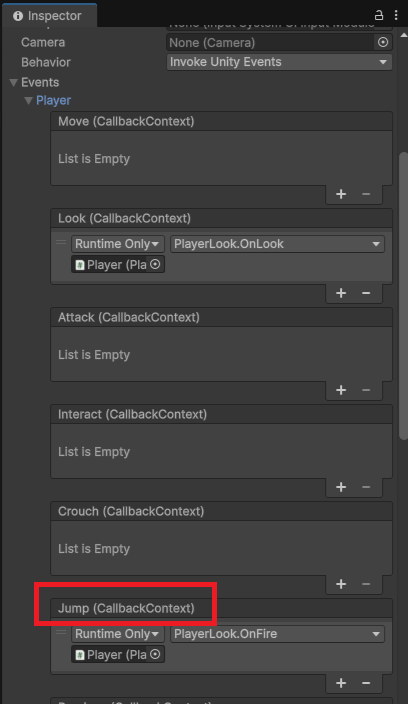
Spaceキーで弾を発射したいので「Jump」に割り当てます。クリックで発射したい場合は「Attack」に割り当てます。
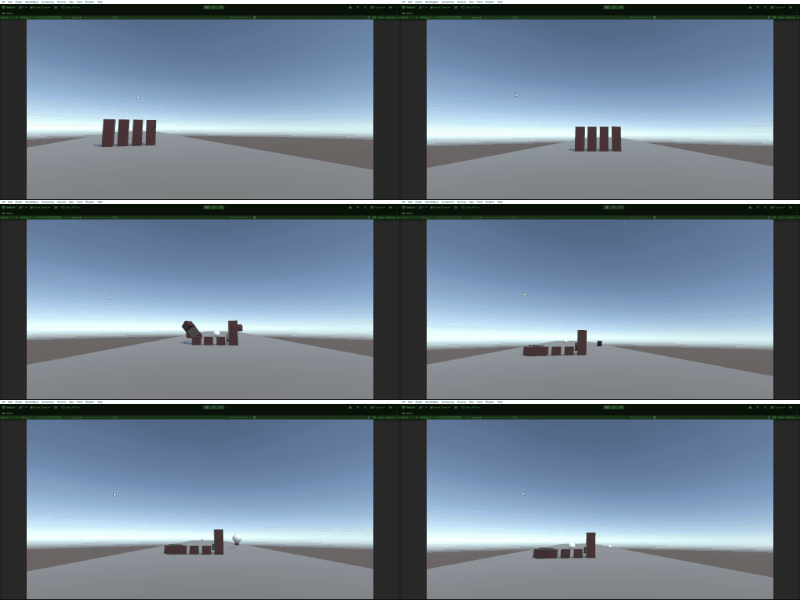
実行して、下記の様にスペースキーを押した時に弾が発射出来たらOKです。