Unity2Dで「砂場」を作成するPart2です。今回は大量の砂を生成してみます。
はじめに
前回の続きのPart2を作成していきます。Part1は下記から。
Part1ではLow-level2DPhysics(PhysicsCore2D)の簡単な動作確認をしました。
作成開始
Part2では「大量の砂」を生成していきます。
土台の作成
簡単な土台を作成します。スクリプトを下記に変更します。受け皿を作成しています。
using UnityEngine;
#if UNITY_6000_5_OR_NEWER
using Unity.U2D.Physics;
#else
using UnityEngine.LowLevelPhysics2D;
#endif

public class Manager : MonoBehaviour
{
    private PhysicsWorld World;

    private void Start()
    {

        World = PhysicsWorld.defaultWorld;
        World.drawFillOptions = PhysicsWorld.DrawFillOptions.Interior;

        CreateFiled();

    }

    private void CreateFiled()
    {

        PhysicsShapeDefinition shapeDef = PhysicsShapeDefinition.defaultDefinition;

        PhysicsBody body = World.CreateBody();

        var boxTransform = new PhysicsTransform(new Vector2(-6f, 0f), PhysicsRotate.identity);
        var boxGeometry = PolygonGeometry.CreateBox(new Vector2(0.2f, 5f), radius: 0f, transform: boxTransform);
        body.CreateShape(boxGeometry, shapeDef);

        boxTransform = new PhysicsTransform(new Vector2(0f, -2.5f), PhysicsRotate.identity);
        boxGeometry = PolygonGeometry.CreateBox(new Vector2(12f, 0.2f), radius: 0f, transform: boxTransform);
        body.CreateShape(boxGeometry, shapeDef);

        boxTransform = new PhysicsTransform(new Vector2(6f, 0f), PhysicsRotate.identity);
        boxGeometry = PolygonGeometry.CreateBox(new Vector2(0.2f, 5f), radius: 0f, transform: boxTransform);
        body.CreateShape(boxGeometry, shapeDef);
    }
}
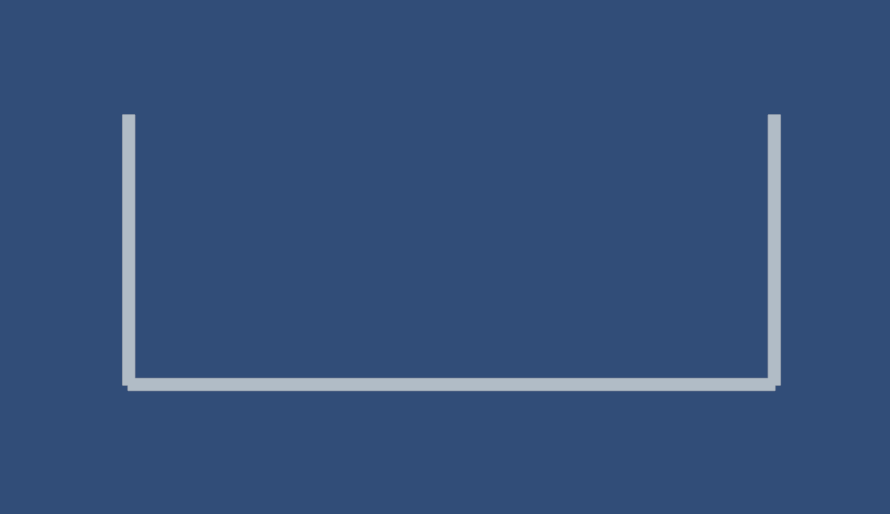
実行して下記の様に表示されたらOKです。
砂を作成
土台の中に砂を生成します。スクリプト内に下記の関数を作成します。中央に小さな円(砂)を生成して自然落下します。スクリプト内で色の指定、サイズの指定をしています。(スクリプト一部抜粋)
    private void CreateSand()
    {
        PhysicsBodyDefinition bodyDef = new PhysicsBodyDefinition
        { type = PhysicsBody.BodyType.Dynamic };
        bodyDef.position = new Vector2(0, 0);

        var body = World.CreateBody(bodyDef);

        var shapeDef = new PhysicsShapeDefinition
        {
            surfaceMaterial = new PhysicsShape.SurfaceMaterial
            { customColor = new Color(0.17f,0.1f,0f) }
        };
        var circleGeometry = new CircleGeometry { center = Vector2.zero, radius = 0.1f };

        body.CreateShape(circleGeometry, shapeDef);

    }
「Start」内に記述して動作を確認します。(スクリプト一部抜粋)
    private void Start()
    {

        World = PhysicsWorld.defaultWorld;
        World.drawFillOptions = PhysicsWorld.DrawFillOptions.Interior;

        CreateFiled();

        CreateSand();
    }
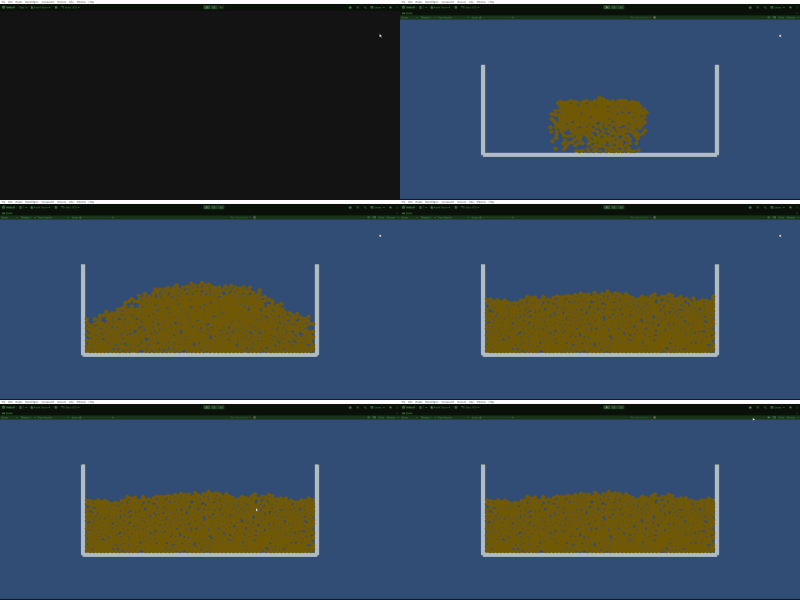
下記の様に
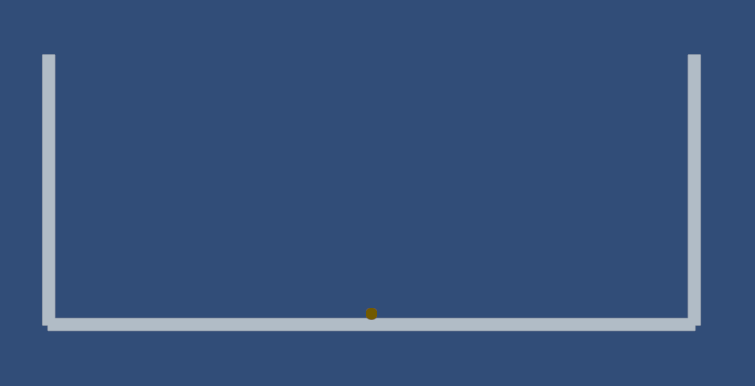
大量に生成するので最終的なスクリプトを下記の様に変更します。1000個生成しています。
using UnityEngine;
#if UNITY_6000_5_OR_NEWER
using Unity.U2D.Physics;
#else
using UnityEngine.LowLevelPhysics2D;
#endif

public class Manager : MonoBehaviour
{
    private PhysicsWorld World;
    private int MaxSand = 1000;

    private void Start()
    {
        World = PhysicsWorld.defaultWorld;
        World.drawFillOptions = PhysicsWorld.DrawFillOptions.Interior;

        CreateFiled();
    }

    private void Update()
    {
        if (MaxSand > 0)
        {
            CreateSand();
            MaxSand -= 1;
        }
    }

    private void CreateFiled()
    {

        var shapeDef = PhysicsShapeDefinition.defaultDefinition;

        var body = World.CreateBody();

        var boxTransform = new PhysicsTransform(new Vector2(-6f, 0f), PhysicsRotate.identity);
        var boxGeometry = PolygonGeometry.CreateBox(new Vector2(0.2f, 5f), radius: 0f, transform: boxTransform);
        body.CreateShape(boxGeometry, shapeDef);

        boxTransform = new PhysicsTransform(new Vector2(0f, -2.5f), PhysicsRotate.identity);
        boxGeometry = PolygonGeometry.CreateBox(new Vector2(12f, 0.2f), radius: 0f, transform: boxTransform);
        body.CreateShape(boxGeometry, shapeDef);

        boxTransform = new PhysicsTransform(new Vector2(6f, 0f), PhysicsRotate.identity);
        boxGeometry = PolygonGeometry.CreateBox(new Vector2(0.2f, 5f), radius: 0f, transform: boxTransform);
        body.CreateShape(boxGeometry, shapeDef);

        //var segmentGeometry = new SegmentGeometry { point1 = new Vector2(-8f, 4f), point2 = new Vector2(-8f, 4f) };
        //body.CreateShape(segmentGeometry, shapeDef);

    }

    private void CreateSand()
    {
        var bodyDef = new PhysicsBodyDefinition { type = PhysicsBody.BodyType.Dynamic };
        bodyDef.position = GetRandomPosition();

        var body = World.CreateBody(bodyDef);

        var shapeDef = new PhysicsShapeDefinition
        {
            surfaceMaterial = new PhysicsShape.SurfaceMaterial { customColor = new Color(0.17f,0.1f,0f)},
//            contactFilter = new PhysicsShape.ContactFilter { categories = PhysicsMask.One, contacts = PhysicsMask.All }
        };
        var circleGeometry = new CircleGeometry { center = Vector2.zero, radius = 0.1f };

        body.CreateShape(circleGeometry, shapeDef);

    }

    private Vector2 GetRandomPosition()
    {
        var x = Random.Range(-2.0f,2.0f);
        var y = Random.Range(-.5f,.5f);
        return new Vector2(x, y);
    }
}
実行して下記の様に動けばOK。